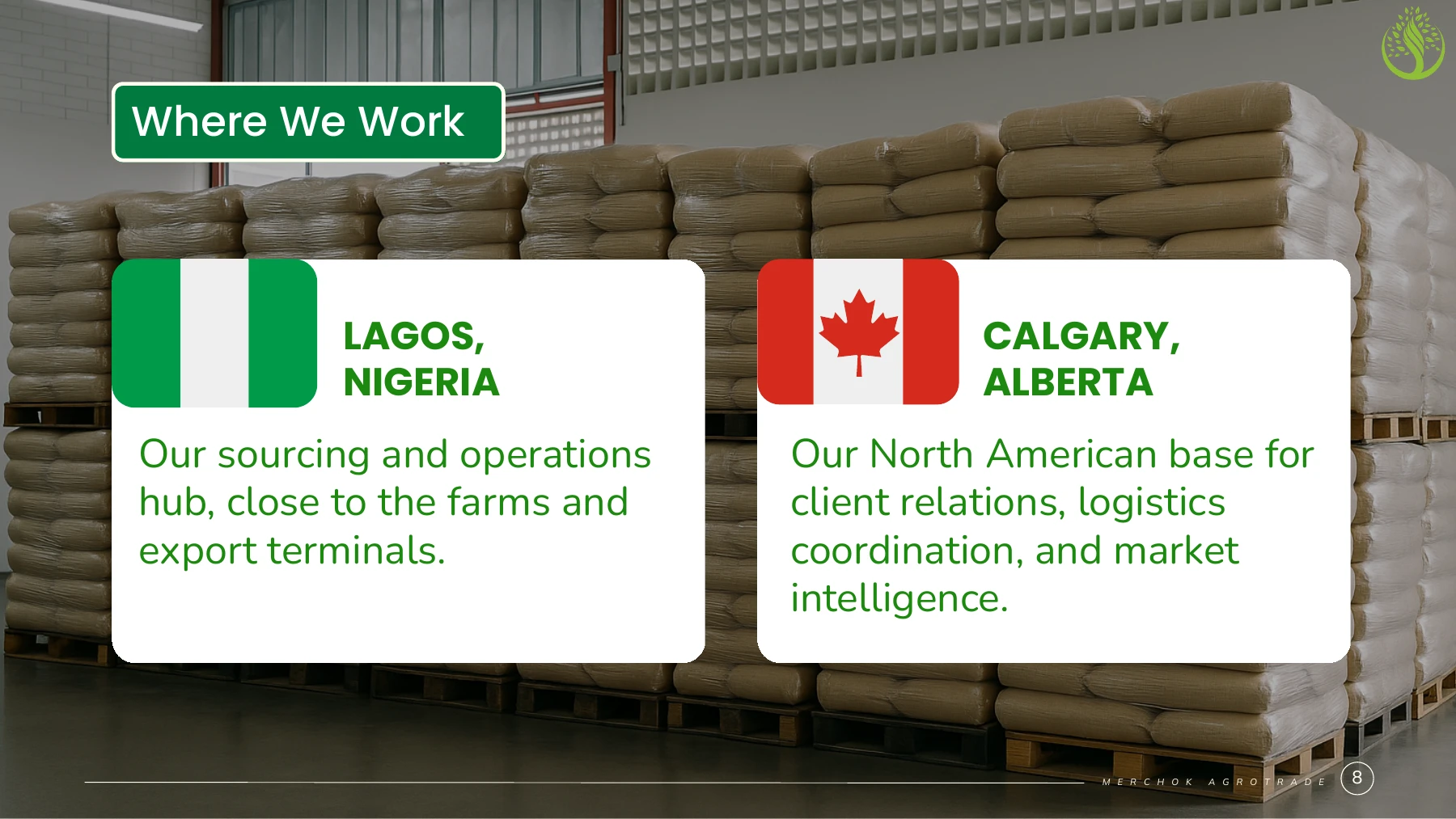
Lagos, Nigeria

Olutoye Kolade

Executive Assistant to MDs & CEOs

Over five years of professional experience across technology, financial services and agribusiness.

I brief executives before decisions and make sure the right teams follow through. My work spans partner coordination, accounting and audit support, recruiting and onboarding, data reporting and pitch design.

Tools I work with

  • Microsoft OfficeOutlook, Excel, Word, PowerPoint and Teams
  • Google WorkspaceGmail, Calendar, Meet, Docs, Sheets and Slides
  • Operations, finance & designTrello, Odoo, Zoho Books, Zoho Desk, Zoho SalesIQ and Canva
  • AI & dataChatGPT, Claude, Gemini, SQL, Power BI and Tableau
5+years of professional experience across executive support and business operations
2major audit cycles supported with trial balance reconciliations and schedules
12+months covering brand design alongside CEO support at Adela
3industries covered across technology, financial services and agribusiness
01 / Career history

Experience & achievements

The work I own, the people I coordinate and the results I can point to across five roles.

01B2B technologyNov 2026 – Present

Infytel Communications

Executive Assistant to the Managing Director

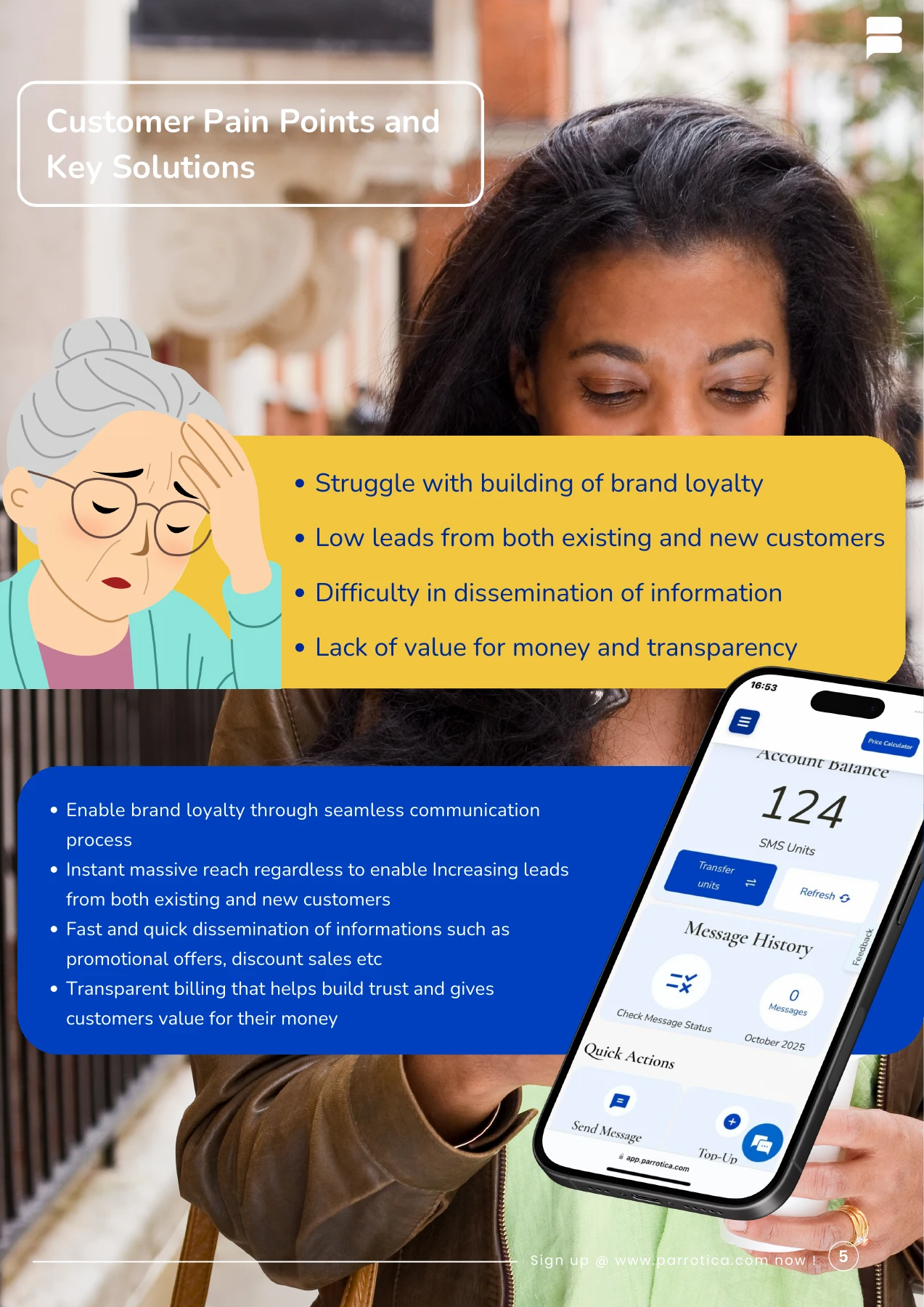
I help the Managing Director prepare for meetings and stay on top of decisions that need follow-up. I coordinate with colleagues, clients and technology partners so everyone involved has the information they need.

Contributions

  • Support business relationships

    Help keep conversations moving as customers’ needs change.

  • Support an MD schedule of up to 5 meetings a day

    Prepare briefs for leadership and partner discussions, then record decisions, owners and deadlines so the MD can follow up on what was agreed.

  • Research prospective clients and partners

    Explain why an introduction or a follow-up might be worth pursuing.

See an account growth example
02TechnologyFeb 2025 – Present

Adela Technologies Nigeria Ltd

Chief of Staff to the CEO

Functional scope · Official appointment: Executive Assistant to the CEO

I work at the centre of the CEO’s office, translating leadership priorities into coordinated action across operations, customer service, finance, recruitment and brand communications. I prepare the CEO for meetings, manage competing commitments and follow through with colleagues and external partners so decisions become completed work.

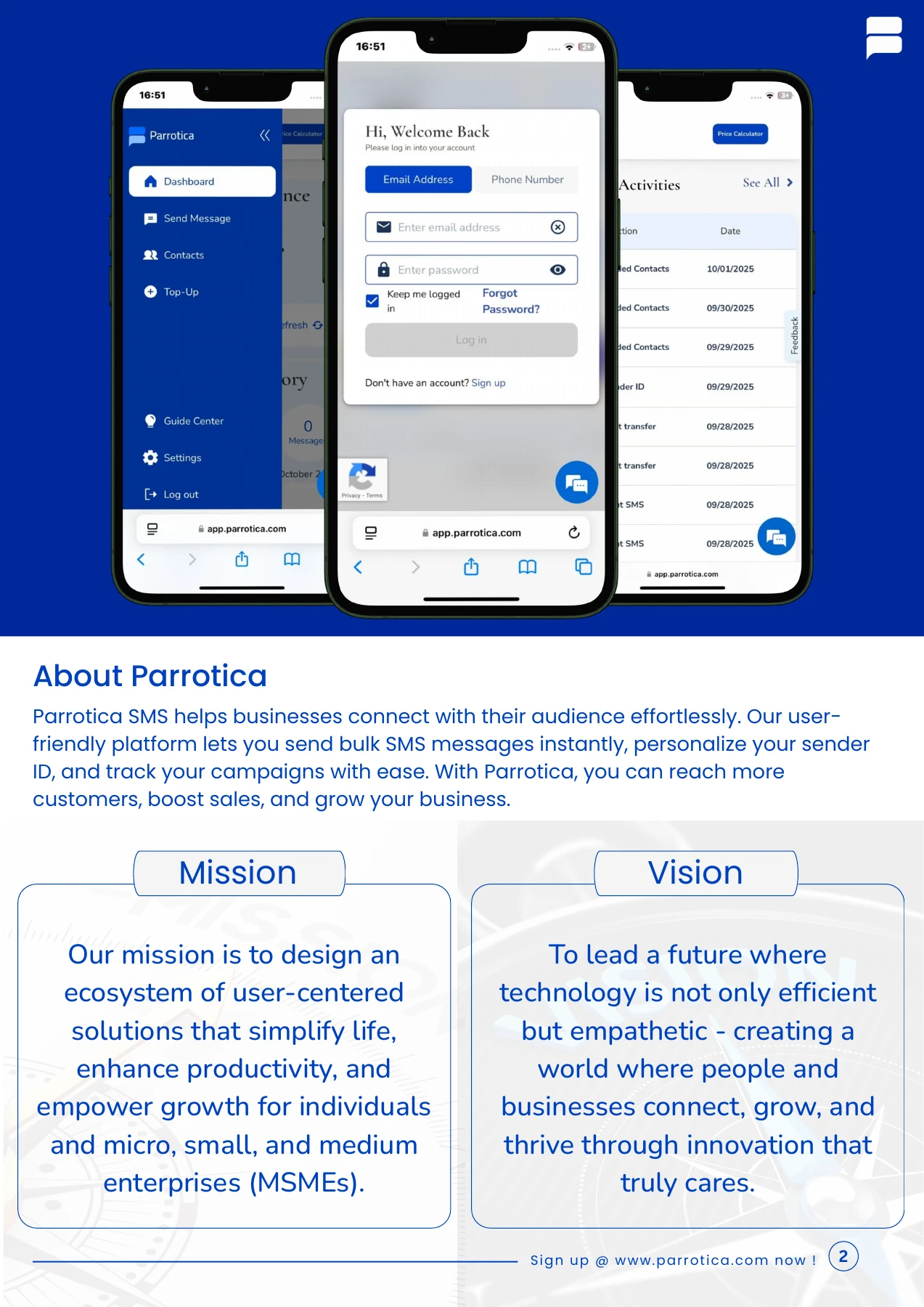
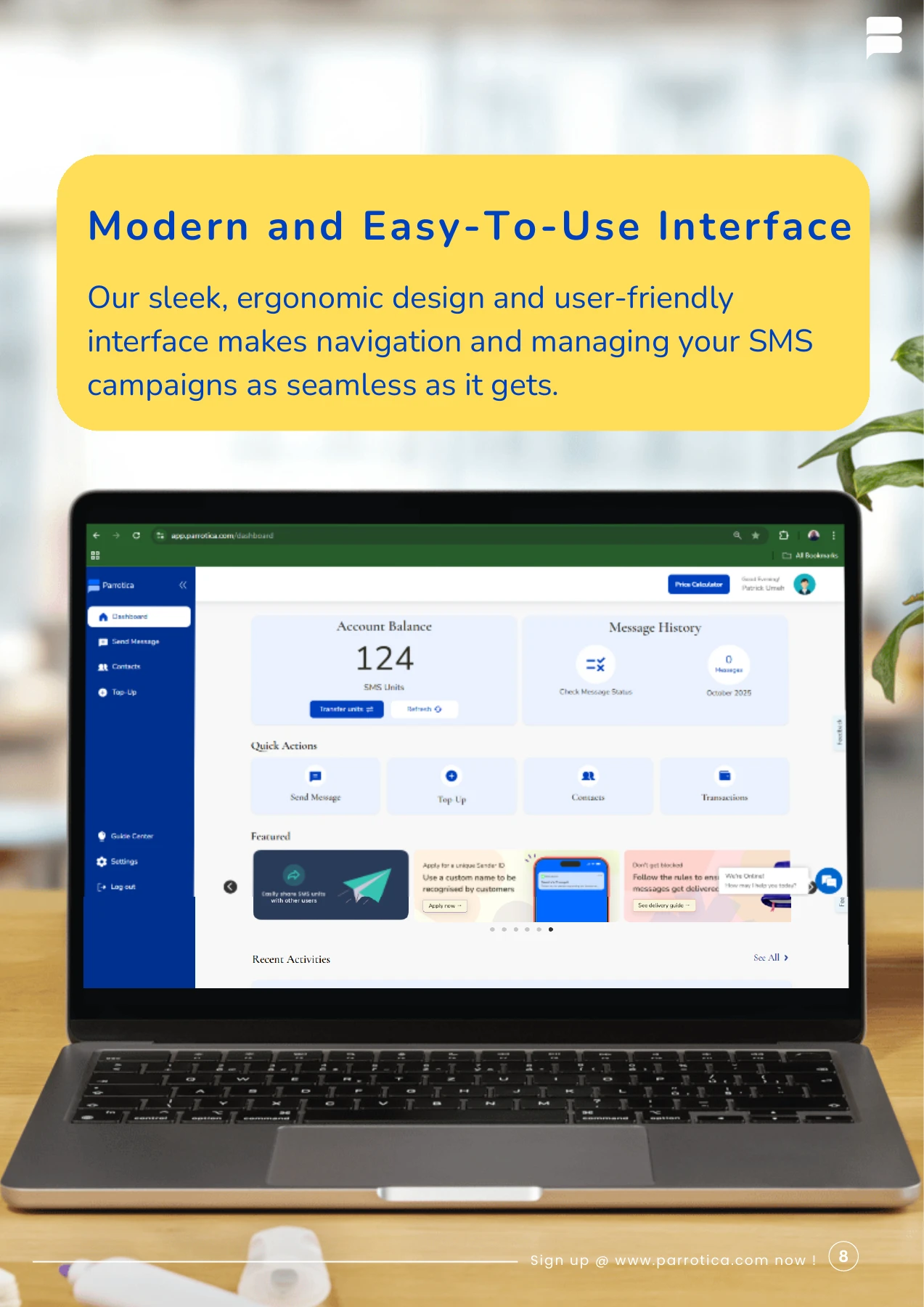
Alongside executive support, I lead customer service for Parrotica, support hiring and onboarding, and prepare reconciliations and supporting schedules for audit review. I also research prospective investors and develop the presentations used to introduce new products. Covering brand design for more than a year added another responsibility: turning business information into customer communications, proposals and visual material that leadership could use. Across these responsibilities, I keep the CEO’s priorities connected to the people and information needed to deliver them.

Contributions

  • Tracked 20+ executive priorities each month

    Kept deadlines, owners and the commitments that needed a leadership decision visible across operational work.

  • Rolled out Trello across 6+ team roles

    Created the workspace and moved task tracking into shared boards, improving cross-departmental execution efficiency by 40%.

  • Led a customer service team

    Helped the team respond consistently, resolve enquiries and keep customers informed.

  • Designed a maternal health investor presentation

    Built the visual story for a new product and researched potential investors. The presentation gave the CEO a clear way to introduce the opportunity.

  • Supported 2 major audit cycles

    Reconciled trial balances and built supporting schedules from scratch, with zero reporting discrepancies across both cycles.

  • Supported hiring and onboarding

    Helped find candidates, coordinate interviews and support new colleagues as they joined.

  • Covered brand design for 12+ months

    Created pitch decks, brochures and customer-facing campaigns alongside full CEO support responsibilities.

03TelecommunicationsOct 2026

MTN Nigeria

HR Help Desk & Administration (Contract)

I helped employees and new starters with everyday questions and onboarding. I passed enquiries to the right colleagues and followed up so employees knew what was happening.

Contributions

  • Coordinated 3 areas of new-starter setup

    Routed requests for staff IDs, system access and connectivity to the responsible teams and followed up on open items.

  • Coordinated monthly staff connectivity requests

    Followed up on outstanding airtime and data requests and kept employees informed while handling their information with care.

See the HR help-desk case studies
04Financial servicesMar 2024 – Feb 2025

Betterlending Company Ltd

Customer Service Representative

I helped customers work through account enquiries and understand what to do next. I worked with colleagues to resolve complaints and kept clear records so another agent could pick up the conversation with the right context.

Contributions

  • Resolved 2,500+ enquiries in 2 months

    Maintained a 98% resolution accuracy rate while keeping customers informed on cases that needed further review.

  • Reduced document review turnaround by 15%

    Streamlined document checks and gave the next team the context it needed to continue a case.

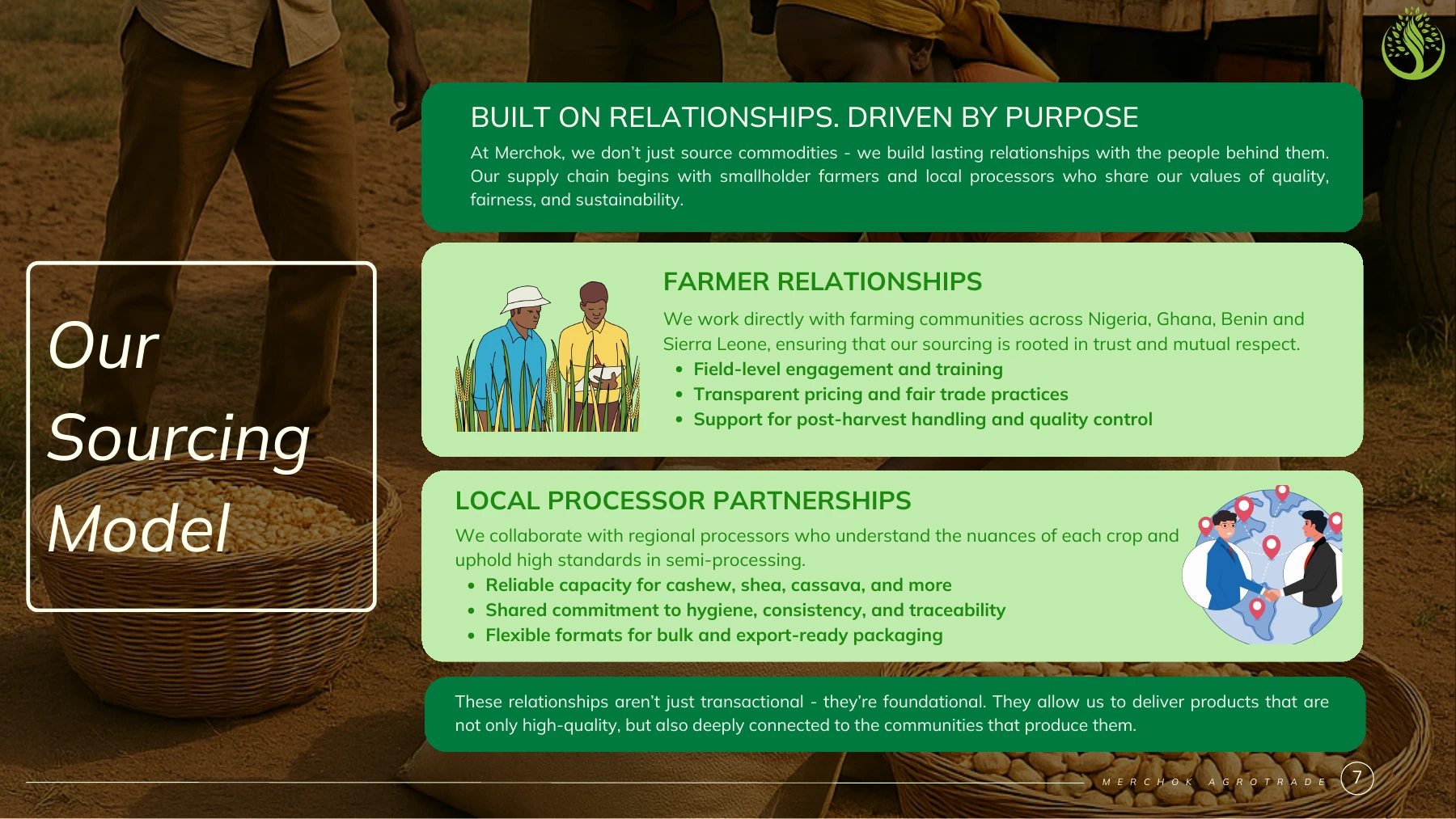
05AgribusinessJul 2020 – Mar 2024

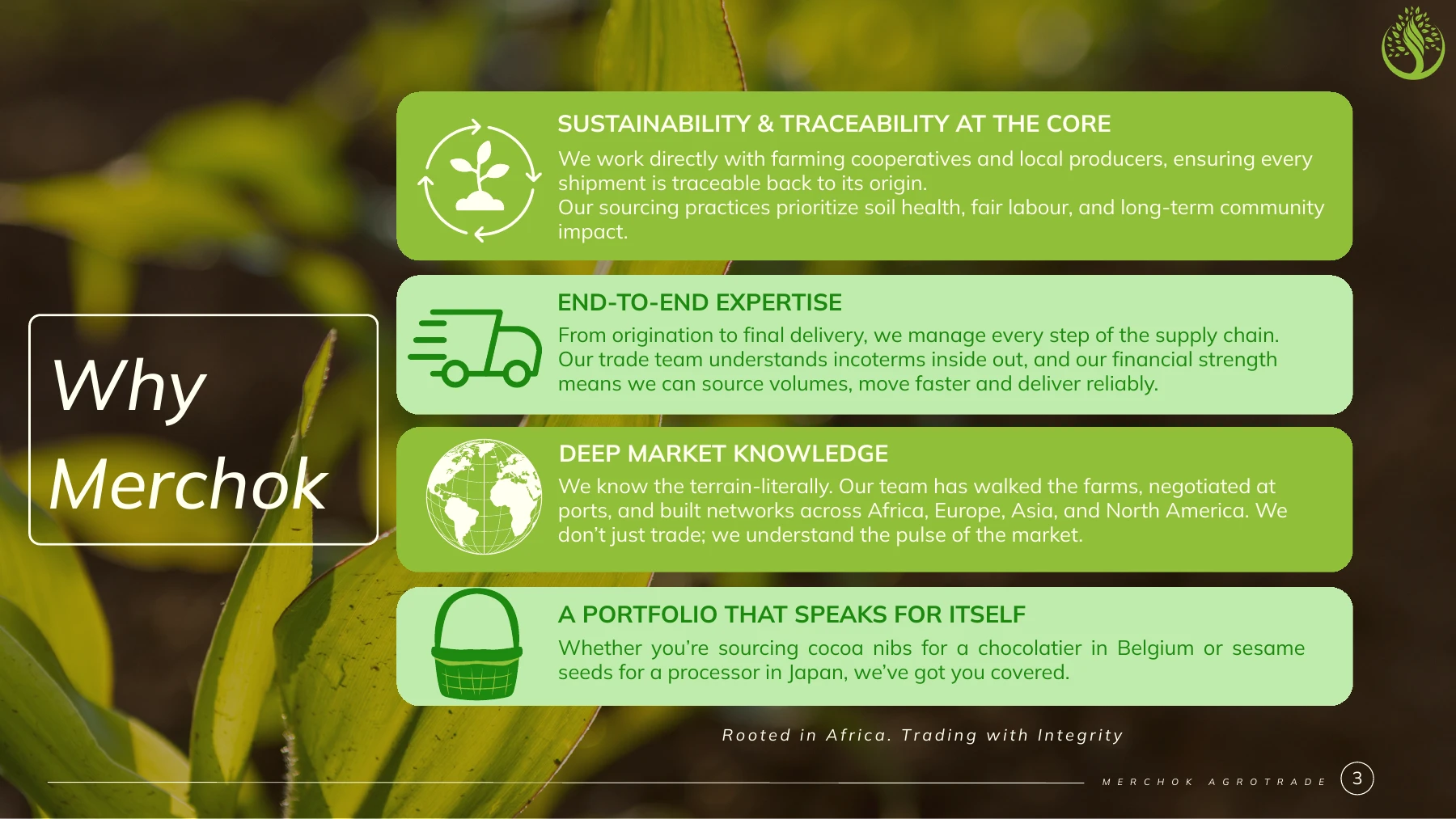
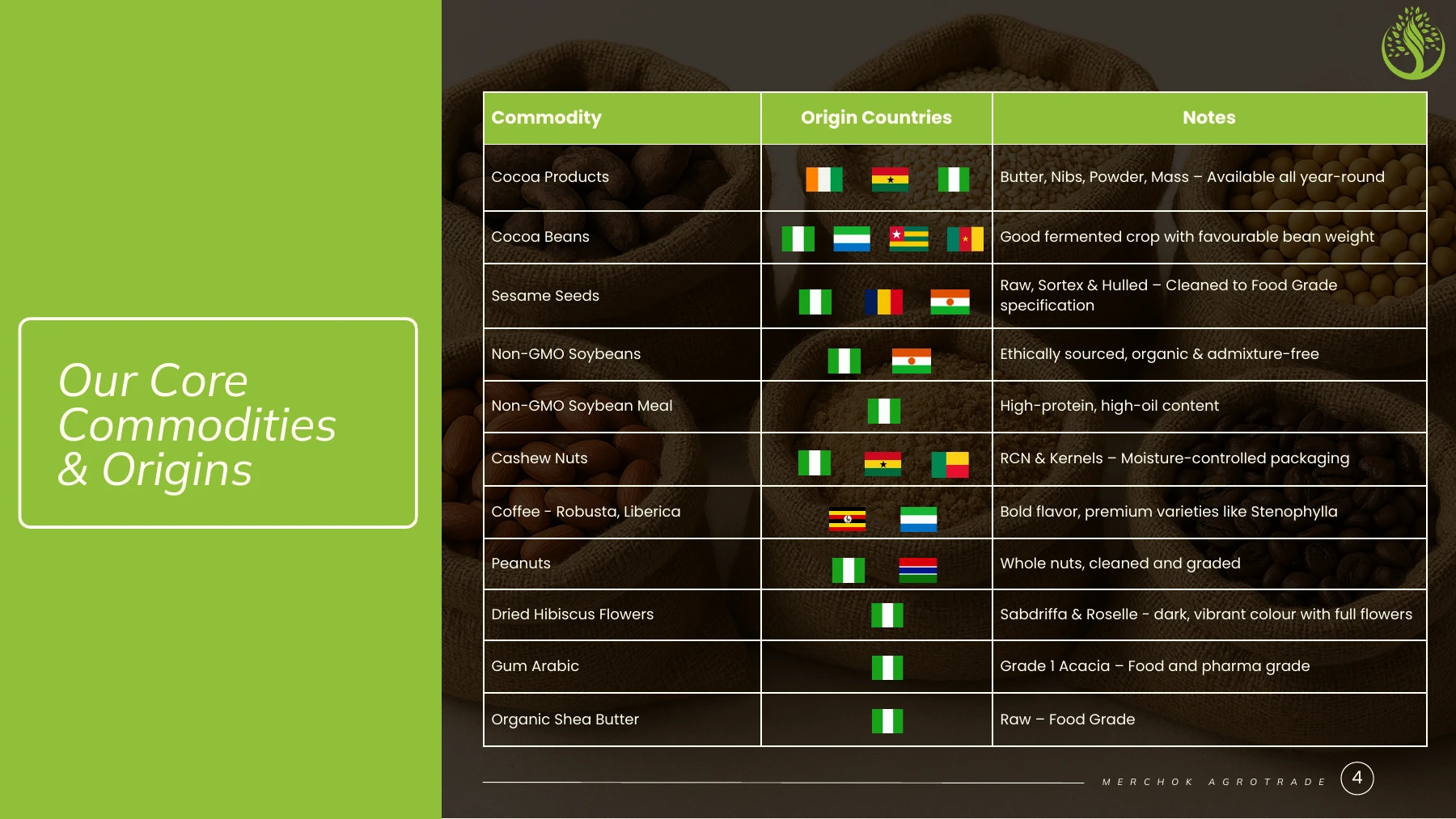
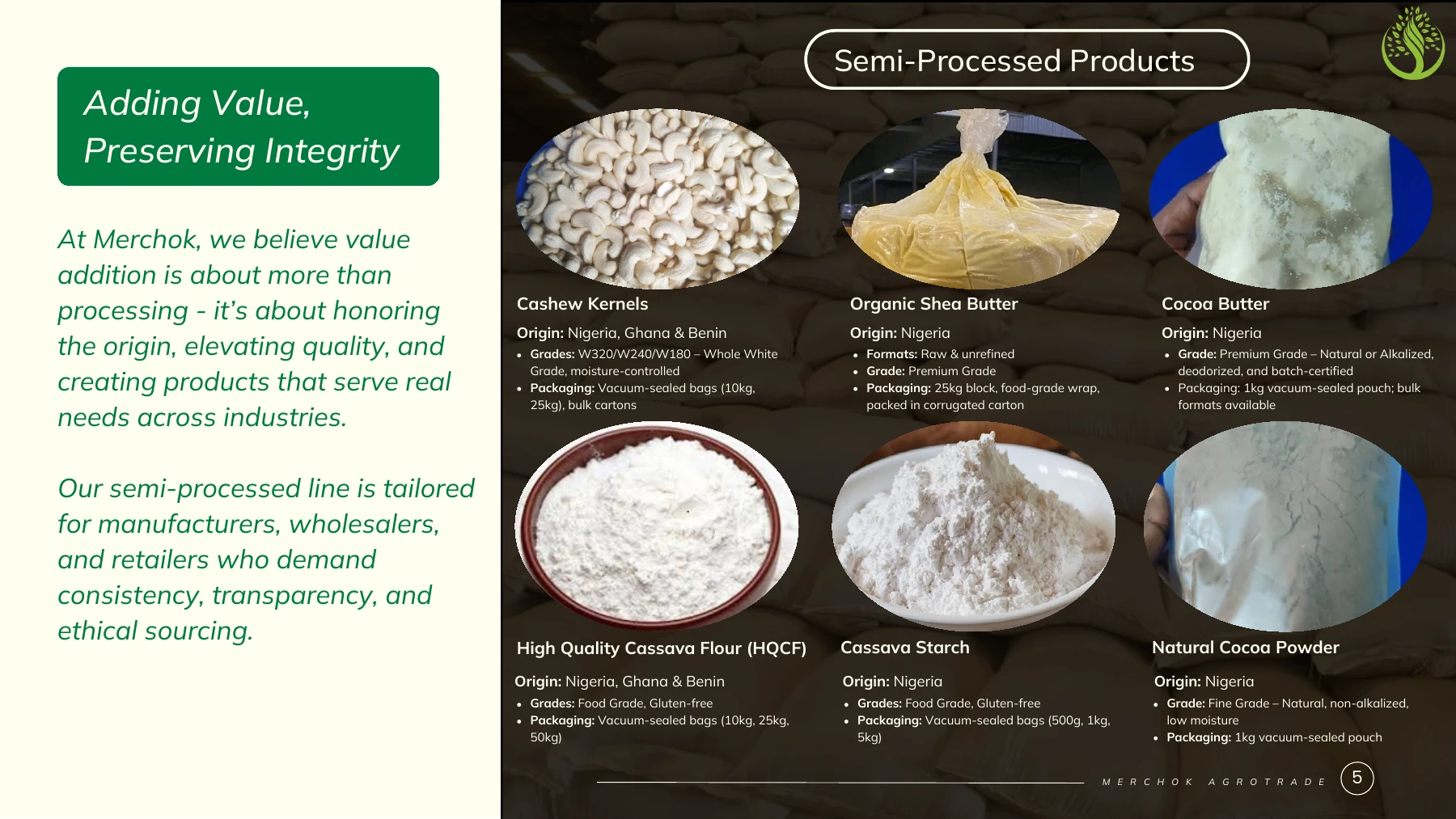
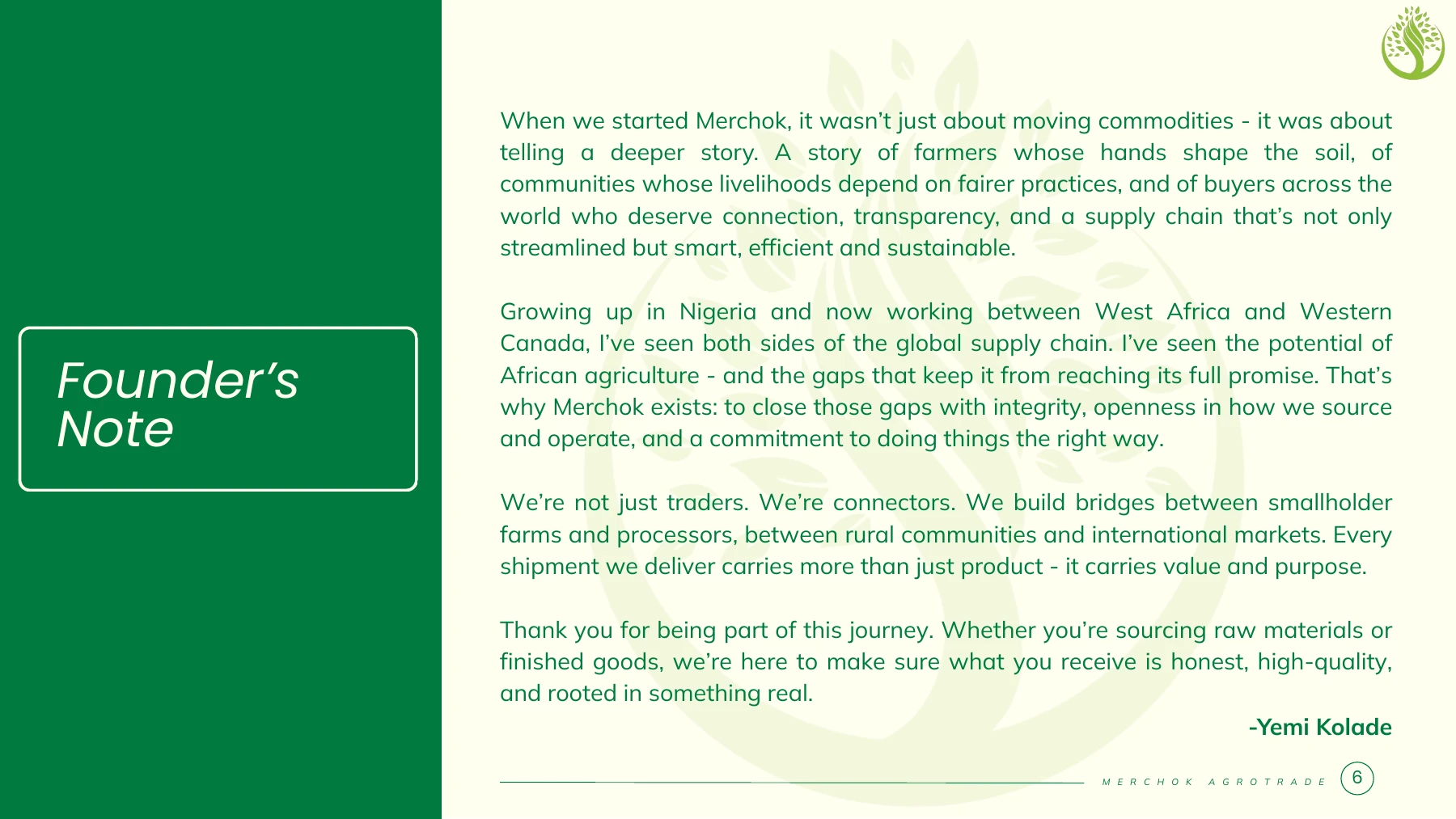
Merchok Agrotrade Ltd

Executive Assistant

Supported executive schedules and office operations. Coordinated vendors, suppliers and procurement documentation, and used Excel and SQL to analyse trade and sales activity.

Contributions

  • Improved document retrieval speed by 25%

    Reorganised procurement, vendor and office records so managers could find the documents they needed more quickly.

  • Reconciled monthly records with zero audit discrepancies

    Kept invoices, receipts and petty-cash records tied to the procurement logs, so each entry could be traced to its supporting document.

Education

BA, English & Literary Studies
Ekiti State University

Professional development

Data Analytics Bootcamp · DatAfrik, 2023
Data Analytics Consulting Virtual Internship · KPMG Australia via Forage, 2023

02 / Expertise

How I support leadership

From preparing a partner meeting to building the deck or reviewing the numbers, I make it easier for executives to act on the information in front of them.

Executive assistance & operations

Manage calendars and travel, prepare leadership meetings and coordinate follow-up with colleagues and external partners.

Meeting briefsTrelloStakeholder coordination

Executive presentations & business writing

Build editable proposals, pitch decks and management presentations. Structure each deck around the audience and the decision it needs to make, and check the figures and narrative against the source material.

PowerPointCanvaProposals and pitch decks

AI & workflow automation

Configure scheduled inbox and research reviews, and structure AI-assisted workflows for meeting briefs, action registers, finance commentary and design. I set the inputs, the output format and the checks a person needs to make before acting.

Scheduled reviewsStructured promptsHuman approval

Data analysis & reporting

Use Excel lookups to match records and flag exceptions. Use SQL joins, filters and grouping to answer trade and sales questions. Use Power BI and Tableau for visualisation. Trained through DatAfrik and the KPMG Data Analytics Consulting Virtual Internship.

Excel lookupsSQLPower BITableau

Financial administration & audit support

Prepare trial balances, reconciliations and financial schedules. Organise supporting documents so management and auditors can trace the numbers, and support payment administration.

Zoho BooksReconciliationsAudit preparation

Client, partner & investor research

Qualify prospective customers against a business need, map technology partners to a capability gap and research venture capital firms against a product’s stage and market. Give leadership a shortlist with the reason to pursue each conversation.

Partner sourcingAccount expansionVC research

HR help desk & recruitment

Coordinate sourcing, interviews and onboarding. Help employees get answers to everyday questions and follow through when several people need to contribute.

Employee supportEmployee onboardingCandidate sourcing

Brand & social communications

Design pitch decks, brochures and educational carousels. I turn product details and policy-heavy topics into a sequence a reader can follow, then design for the format people will actually see.

Canva4:5 and squareEducational carousels
03 / Selected work

Executive work in practice

See work I delivered in executive coordination, commercial research, employee support and accounting, alongside clearly labelled fictional examples that show how I approach those tasks.

Adela Technologies / investor communications

Pitch deck for a maternal health product

I designed an investor presentation for a maternal health product. The challenge was to explain who it could help and why the idea mattered to an audience hearing about it for the first time.

Source material
A product brief and background research.
What I decided
Start with the problem, then use a clear visual story to explain the idea and the opportunity.
What leadership could use
A presentation to introduce the idea and guide investor conversations.
TendHer. Original Canva cover for the maternal health investor pitch.
TendHer investor presentation · original Canva cover
01 / Executive operations

Keep leadership decisions moving

Three ways I turn requests, meetings and scattered updates into decisions and follow-through.

01

Executive coordination · illustrative example

Give leadership one view of its priorities

When several teams contribute to a project, I bring the outstanding decisions and commitments together so everyone can see what needs attention.

Source
Example meeting notes and project updates.
What I did
Separate decisions from progress updates and make the next steps easy to find.
What leadership could use
A concise view of what is moving and where a decision is needed.
02

Executive support · fictional brief

Make a partner meeting decision-ready

A partner meeting can arrive with a long correspondence trail and open technical questions. I condense the history into a brief so the MD can see what needs his attention before the call.

Source
A sample agenda and background notes for an upcoming meeting.
What I do
Separate the discussion from the decision. Confirm whose input is needed, prepare the MD’s questions and capture owners and due dates after the meeting.
What leadership can use
A short brief and follow-up register that show what was agreed, what is still pending and when to review it.
03

Merchok Agrotrade · work delivered

Make procurement records easier to retrieve

I reorganised administrative files and followed the paper trail across vendor, procurement and office records. It gave management a clearer place to look when an invoice or decision needed its supporting documents.

Source
Supplier records, procurement logs, invoices, receipts and petty-cash records.
What I did
Kept the underlying documents tied to the relevant vendor and purchase, checked the monthly records against supporting evidence and flagged incomplete items for review.
What leadership could use
A repeatable monthly file structure with a direct route back to the document behind each item.
02 / Commercial coordination

Keep good opportunities visible

Examples of the groundwork I do before the MD, CEO or commercial team decides whether to proceed.

01

Customer research · fictional example

Qualify a prospect before proposing a product

I research the organisation and the problem it might need to solve before proposing a conversation. For an illustrative service team struggling to keep up with enquiries, I would first check which channels it uses and who owns the customer journey.

Source
Public business information, the prospect’s customer touchpoints and the commercial team’s knowledge of the use case.
What I do
Summarise the need, list relevant solutions and identify what the account team should validate before arranging a product discussion.
What leadership can use
A reason to pursue or hold the opportunity, with a clear discovery question for the next conversation.
02

Partner research · fictional example

Assess a potential partner

A potential partnership starts with a capability the business or a client needs. I research suppliers against that need and put the short list in a form the commercial and technical teams can qualify.

Source
Public product information, partner material and an account team’s description of the use case.
What I do
Compare capabilities and use cases. Identify questions around deployment, support, integration and regional availability, then route those to the people who can verify them.
What leadership can use
A shortlist with the case for each introduction and the key checks for a first conversation.
03

Investor research · illustrative example

Prioritise investors for outreach

I research venture capital firms and funding opportunities so the CEO can focus outreach on people who may understand the product and its market. The work sits alongside preparing the pitch and supporting due diligence.

Source
The product brief, public fund theses, investment stages, portfolio companies and geographic focus.
What I do
Record why a fund might fit and what still needs validation. Use the same source notes to prepare briefing points for introductory conversations.
What leadership can use
A prioritised outreach list and a clearer reason to speak to each investor.
03 / People operations

From candidate search to employee support

Three illustrative examples of keeping candidates and employees informed.

01

Employee support · fictional example

Help a new colleague get started

A new starter may have questions that different colleagues can answer. I would explain who can help and check that the employee knows what to expect.

Starting material
An example new-starter enquiry.
My contribution
Clarify the questions and connect the employee with the right people.
What leadership can use
A short summary of questions that still need an answer.
02

Employee enquiries · fictional example

Keep an employee informed while a question is open

I would acknowledge the enquiry, follow up with the people who can help and give the employee a clear update.

Starting material
A sample question from an employee.
My contribution
Agree the next step and keep the employee informed.
What leadership can use
A clear status for questions that need further attention.
03

Recruitment · fictional example

Keep a hiring process organised

I help candidates and interviewers know what is happening at each stage and help the team prepare for a new colleague’s arrival.

Starting material
A sample role brief and interview plan.
My contribution
Prepare short candidate summaries and coordinate communication.
What leadership can use
Organised information for review and clear next steps.
04 / Financial administration

From the trial balance to the audit file

My accounting support at Adela and three example schedules showing how I check balances, explain exceptions and prepare payment reviews.

2Audit cycles supported at Adela Technologies
Work delivered / Adela Technologies

Prepare financial records for audit review

Across two audit cycles, I reconciled the trial balance, built supporting schedules and gathered the records behind them. I helped prepare the materials used to compile and review the financial statements, so a reviewer could follow the reported balance back to its underlying detail.

I also supported payment administration and helped organise supporting financial records so reviewers could follow up on questions.

Illustrative schedules below. The USD amounts and scenarios are fictional. The schedules demonstrate general accounting methods.

01

Close and reconciliation · fictional USD

Tie a $4.85m cash balance back to evidence

I use trial balance and bank reconciliations to distinguish timing differences from items that need an accounting review. In this example, the bank total ties to the ledger once two timing items are supported.

Fictional figures in USD
Bank statement balance$4,825,000
Deposits in transit$180,000
Outstanding payments−$155,000
Adjusted bank balance$4,850,000
Cash ledger balance$4,850,000
Unexplained variance$0
Controls and evidence
Match statement lines and ledger references, attach evidence for timing items and check the next statement for clearance. Carry any unsupported items forward as exceptions for review.
What leadership can use
A close reviewer can reproduce the tie-out and see the evidence still needed before sign-off.
02

Audit readiness · fictional USD

Isolate a $25,000 difference in a $12.48m schedule

I build supporting schedules that let a reviewer trace a control-account balance back to its detail. A reconciled total can still conceal offsetting differences, so I also check exceptions by reference and date.

Fictional figures in USD
Payables control account$12,480,000
Supporting payables ledger$12,455,000
Difference to resolve$25,000
Controls and evidence
Compare the two exports at the same cut-off, check opening balances and trace the unmatched amount to source documents. Document the issue and the proposed correction for Finance review.
What leadership can use
Management can see the size of the difference, its supporting evidence and who needs to clear it before the schedule goes to an auditor.
03

Payment administration · fictional USD

Prepare a $2.40m payment review pack

I support payment preparation and organise approvals and evidence. This example shows how I separate validated items from exceptions before a batch reaches the approval stage.

Fictional figures in USD
Batch submitted$2,400,000
Pending supplier validation$120,000
Possible duplicate invoices$70,000
Total on hold$190,000
Ready for approval$2,210,000
Controls and evidence
Compare the batch to approved invoices and check references and payment details. Keep unresolved items on hold and retain a dated copy of the exception register with the approval pack.
What leadership can use
Approvers can see the amount ready for review, the exceptions that must be cleared and the supporting records for both.
04 / AI & automation

From scattered information to work someone can act on

I configure recurring inbox triage and research monitoring, and design AI-assisted workflows for executive briefs, finance reviews and creative production. AI helps structure source information and prepare drafts. I check the evidence; accountable people make decisions and give approvals.

01 / Executive supportWorkflow example

Inbox and meetings to an action brief

Run a scheduled inbox review, separate decisions and deadlines from general updates, and turn meeting notes into a brief and follow-up register.

  1. CaptureUse approved messages and meeting notes. Set the scope and due-date window.
  2. StructureUse AI to extract decisions already recorded in approved notes, together with the named owner, deadline, blocker and source reference. Flag anything missing for human confirmation.
  3. ReviewI verify each item against the original thread or notes, confirm owners and move agreed tasks into Trello. Decision-making and approval remain with the accountable person.
Open a sample brief
Decision needed

Confirm the demo date once the technical owner is named.

Open action

Customer Success to confirm the owner by Thursday. Follow-up draft ready for review.

02 / Financial administrationWorkflow example

Reconciliation to an exception note

Use Excel to review fictional transactions, then use AI to organise a sample exception note for review.

  1. MatchCompare transaction references, dates and amounts in the source records.
  2. SummariseUse AI to organise exceptions by issue, evidence and next action. Keep totals tied to the spreadsheet.
  3. ReviewRecheck the amounts and supporting documents. Route adjustments and payments through the existing approval process.
Open a sample exception note
Illustrative exception · $25,000 USD

The payables control account is higher than the supporting ledger. Match both exports at the same cut-off, trace the unmatched reference and route the proposed adjustment to Finance for review.

03 / Research monitoringRecurring review

Turn a recurring search into a decision brief

Set the question and scope, schedule the check, filter out repeats and surface only meaningful changes with source links. Use the same approach for partner updates and meeting preparation.

04 / Design & presentationsCreative workflow

From an approved brief to an editable deck

Use AI to test storylines, outline slide sequences and adapt copy for different audiences. Build the final layouts in Canva or PowerPoint, then check the figures, typography and brand details against the brief.

My review points

Use approved, non-sensitive material. Check important claims against their sources and review drafts before sharing them.

05 / Design portfolio

Pitch decks, carousels & publications

I build presentations that help leadership explain a product, partnership or expansion plan. Alongside CEO support at Adela, I also covered brand design for more than a year, creating customer education, campaign assets and corporate publications.

Pitch decks & proposals

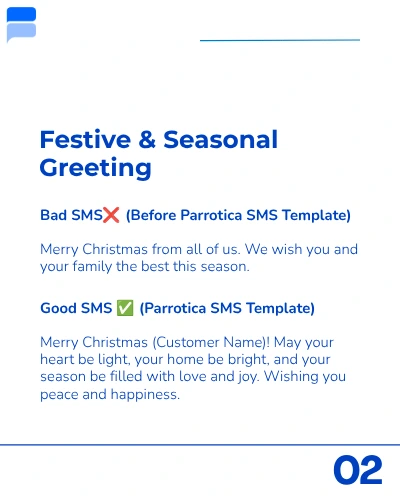
10 projects · 50 preview pages

Original Canva layouts, presented as five-page design previews. Some text is adapted or withheld for confidentiality. Funding figures, commercial terms and internal supporting documents are excluded. Swipe or use the arrows; open any page to enlarge it.

Original Canva design · 5 preview pages

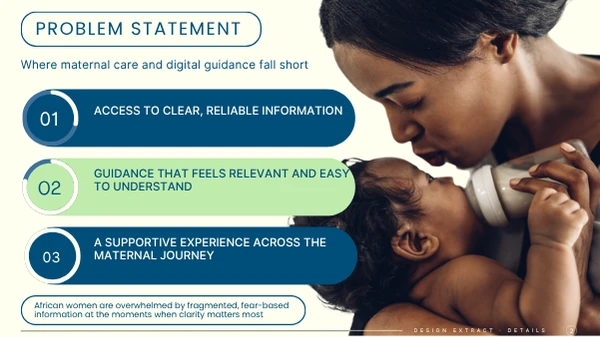
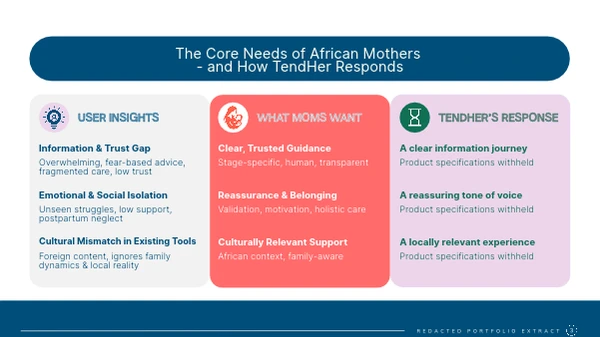
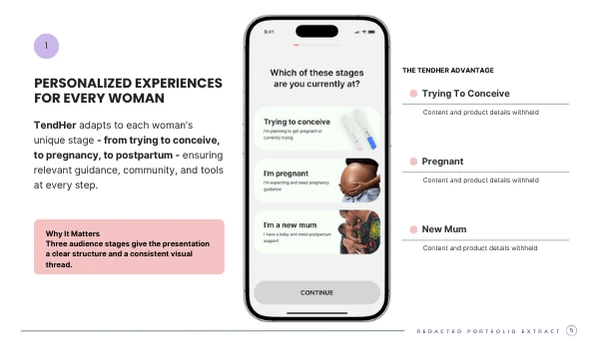
TendHer Maternal health investor pitch

I shaped an investor presentation around the experience of African mothers, introducing the audience and the problem before the proposed product. The sequence gives a first-time reader a clear route from the need to the wider idea.

My work combined narrative structure, copy development and visual design. I used warm imagery, a consistent colour system and clearly separated audience stages to make a complex product story easier to follow. Leadership could use the deck to introduce the opportunity and guide an investor conversation.

Design excerpts. Some text is adapted or withheld for confidentiality.

Original Canva design · 5 preview pages

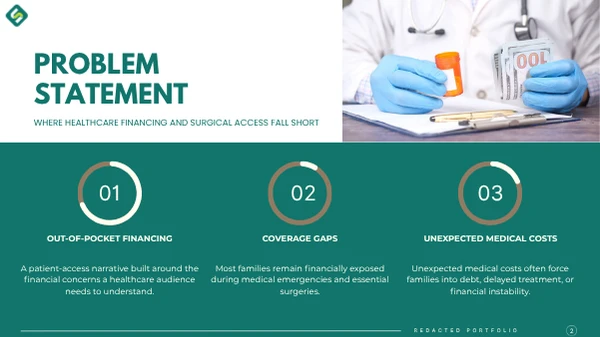
Surgic Surgical access pitch

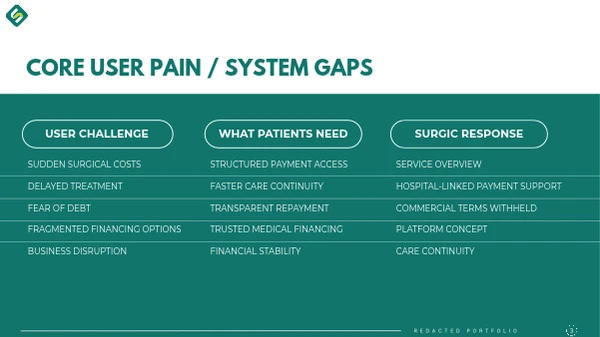
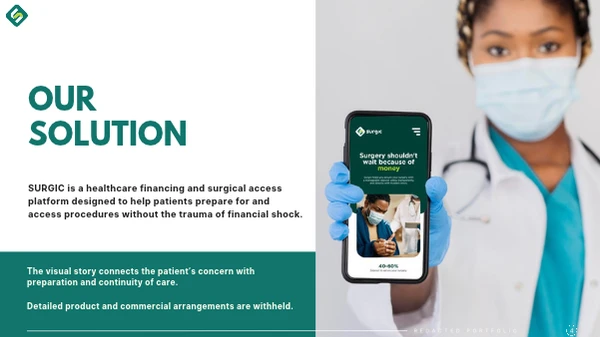
I built the story around the gap between needing surgery and being able to afford it. Rather than lead with a long feature list, I connected the patient’s concern with the proposed service and its purpose.

The design uses problem statements, comparison columns and a strong closing message to give the presentation a clear progression. I developed the visual hierarchy and supporting copy so the product could be introduced consistently to someone hearing about it for the first time.

Design excerpts. Some text is adapted or withheld for confidentiality.

Original Canva design · 5 preview pages

Surgic Healthcare provider network

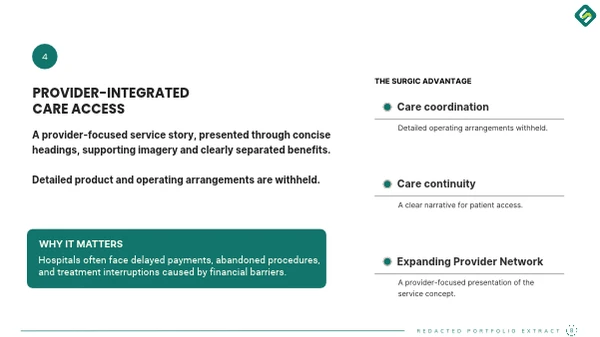
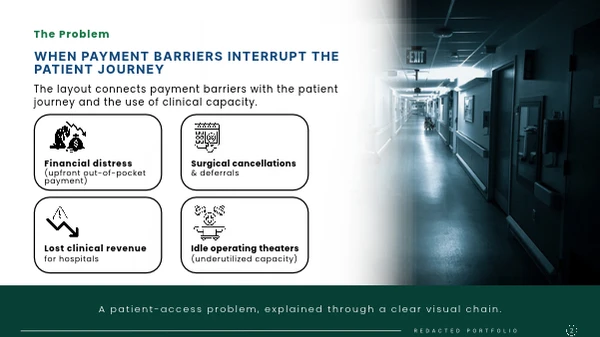
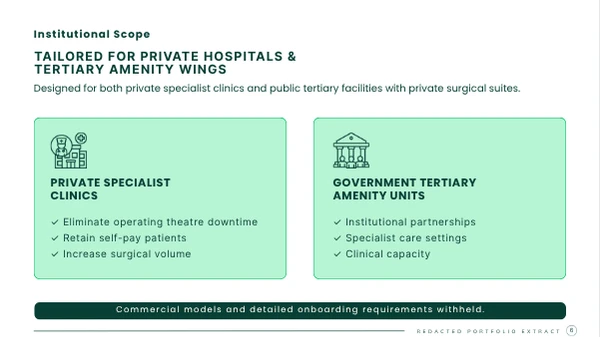
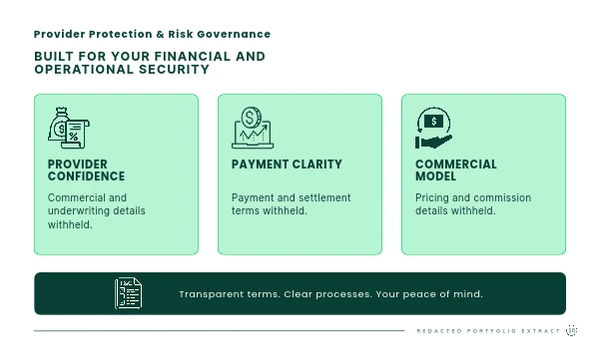
This presentation addresses healthcare providers as potential partners. I framed the discussion around patient access, clinical capacity and the questions an institution would need answered before exploring a partnership.

I designed a consistent sequence of diagrams, scope cards and provider-focused messages, with clear headings that make the material easy to present. The public excerpts show that visual structure while withholding pricing, commissions, settlement arrangements and other commercial terms.

Design excerpts. Some text is adapted or withheld for confidentiality.

Original Canva design · 5 preview pages

Elysurge Shared surgical infrastructure

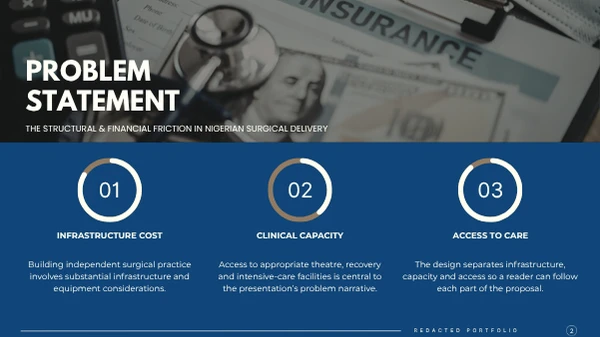
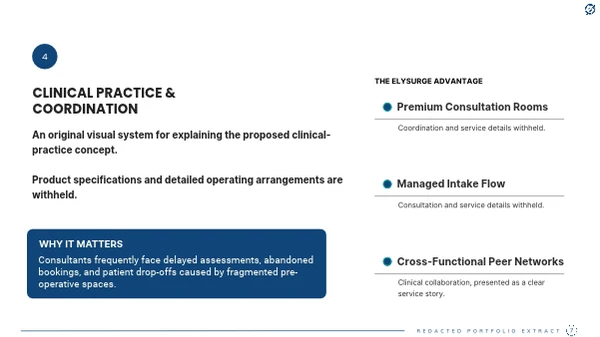
I translated a shared-infrastructure concept into a presentation for independent medical practitioners and prospective partners. The story explains the infrastructure challenge before introducing the proposition and the broader vision.

My contribution was to organise the narrative, establish a consistent visual language and give each slide a clear purpose. Problem cards, a concise positioning visual and a closing vision page let a presenter move from context to discussion without overwhelming the audience.

Design excerpts. Some text is adapted or withheld for confidentiality.

Original Canva design · 5 preview pages

Elysian Medical partnership proposal

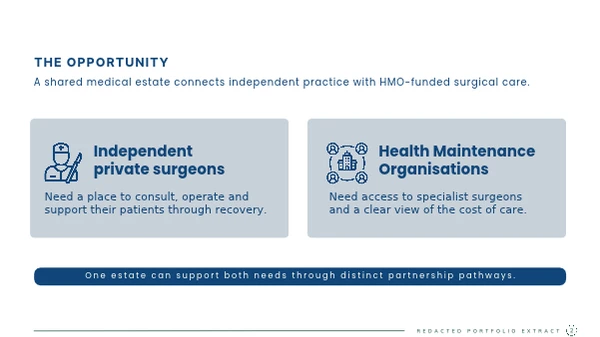
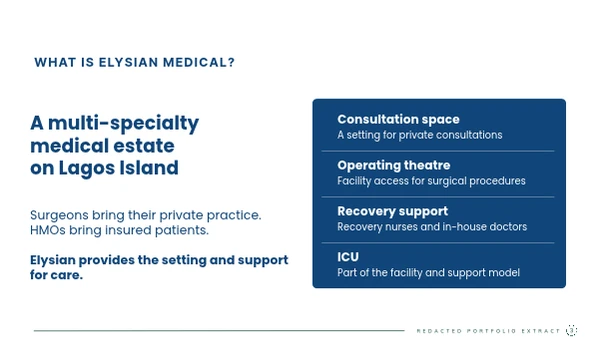
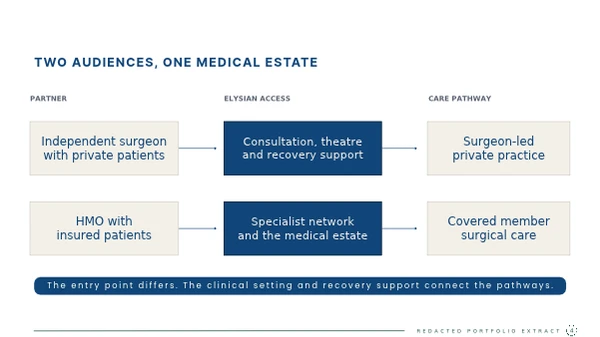
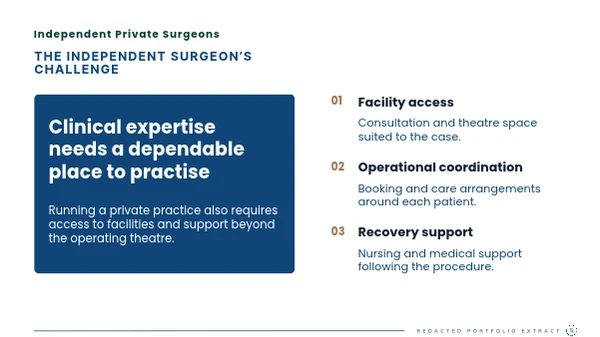
I gave independent surgeons and health maintenance organisations distinct routes through the same proposal. Each audience needed to understand where it fitted, what the medical setting offered and how its needs differed from the other audience’s.

The presentation combines audience panels, a service overview and a pathway diagram. I used consistent typography and spacing to connect those formats into one story, giving leadership a clear way to explain the proposition in a partner meeting.

Design excerpts. Some text is adapted or withheld for confidentiality.

Original Canva design · 5 preview pages

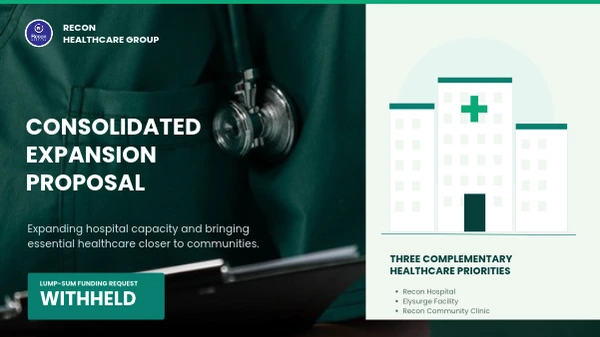
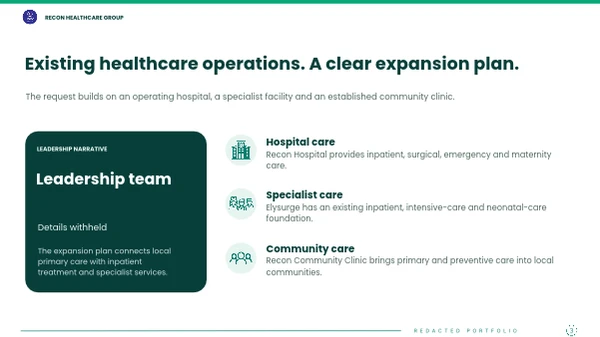
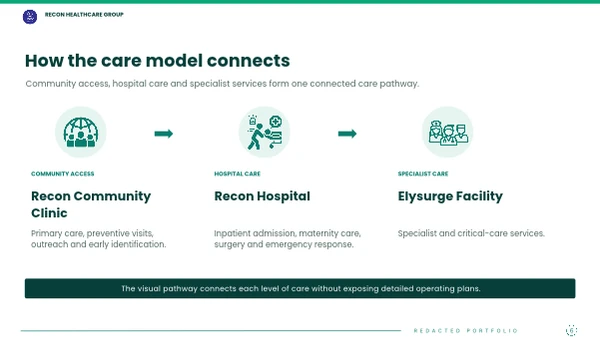
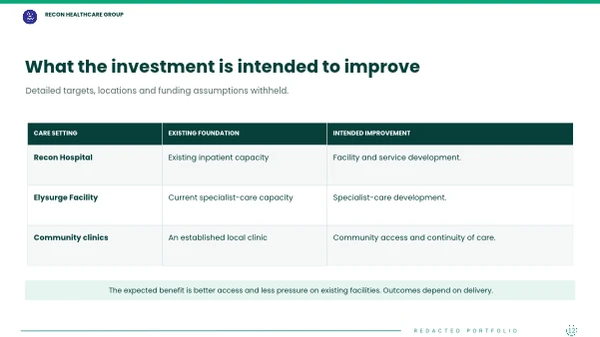
Recon Healthcare Group Consolidated expansion proposal

I brought hospital, specialist-facility and community-clinic material into one coherent group presentation. The challenge was to explain how the different care settings relate while keeping each part of the proposal distinct.

I structured the deck around the group narrative, connected care pathways and comparable priorities. Tables and diagrams give the presenter a consistent way to explain the whole picture. These excerpts retain the original design while withholding leadership identities, operating targets and financial information.

Design excerpts. Some text is adapted or withheld for confidentiality.

Original Canva design · 5 preview pages

Recon Hospital Hospital expansion proposal

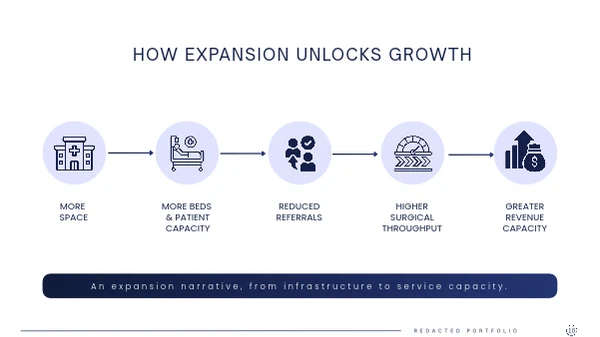
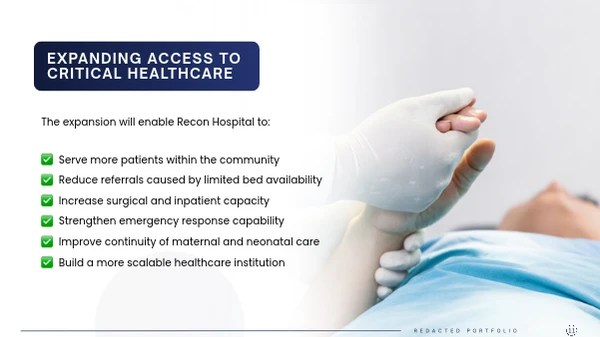
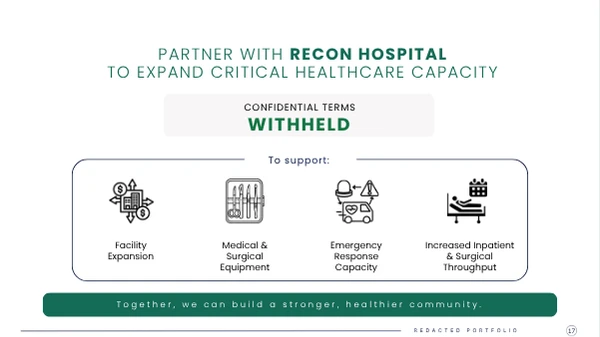
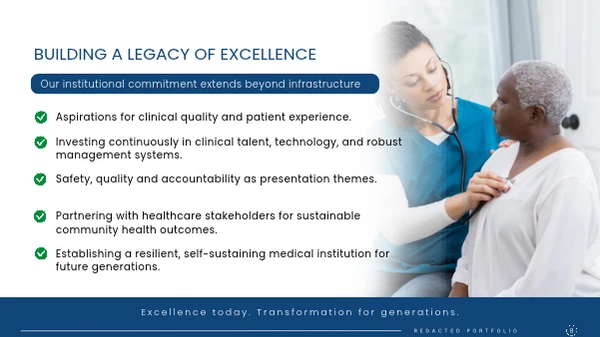
I developed an expansion presentation that moves from the institution’s purpose to the case for greater service capacity. The narrative connects facilities, patient access and the intended direction of growth.

I used a clear typographic hierarchy, grouped priorities and a visual chain to show how the proposal fits together. The design gives a presenter a structured conversation to work through; the public preview excludes the funding requirement, revenue figures and supporting financial schedules.

Design excerpts. Some text is adapted or withheld for confidentiality.

Original Canva design · 5 preview pages

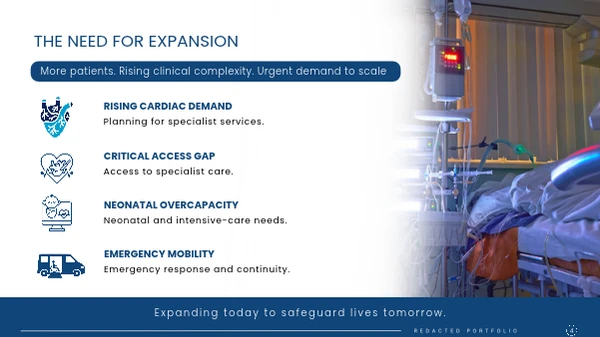
Elysurge Specialist care expansion proposal

I organised a specialist-care expansion brief around a small number of themes an audience could follow: access, clinical capacity, care continuity and the wider institutional vision.

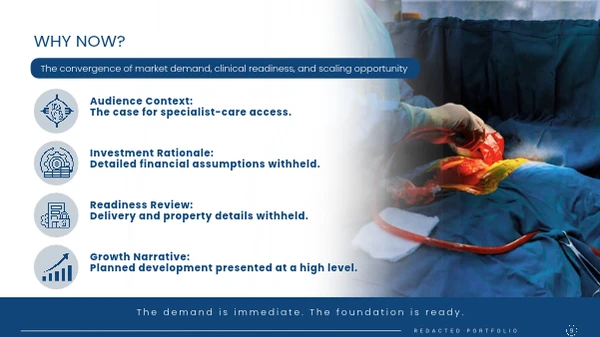
The deck uses repeated card systems, concise section headings and a consistent closing narrative to make the proposal feel like one presentation. These design excerpts demonstrate that approach without disclosing financial assumptions, property arrangements or detailed delivery commitments.

Design excerpts. Some text is adapted or withheld for confidentiality.

Original Canva design · 5 preview pages

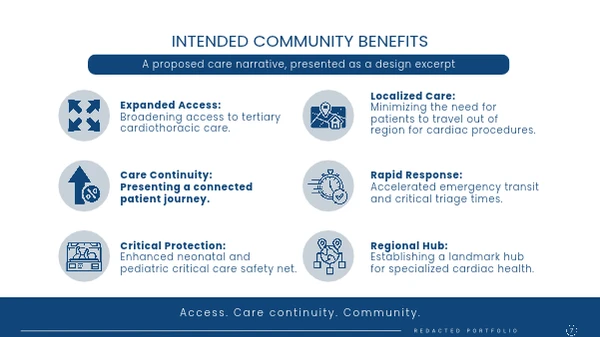
Recon Community Clinic Community clinic expansion proposal

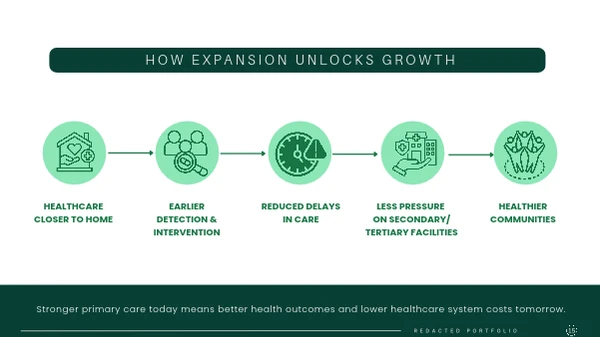
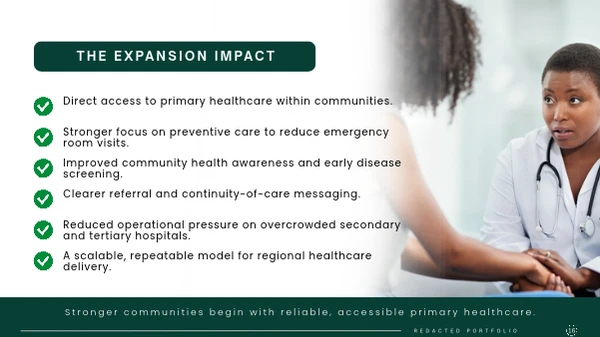
I focused this presentation on the idea of bringing primary healthcare closer to communities. The sequence introduces the access problem, the proposed direction and the intended community benefits before returning to the larger purpose.

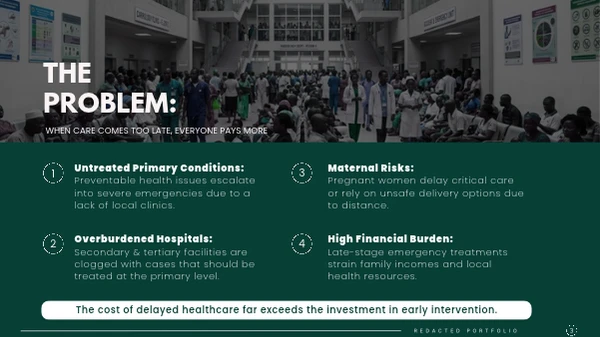
I developed the slide structure, copy and visual system, using diagrams and clearly grouped messages to make the material easier to present. The preview shows the design and narrative flow while withholding rollout targets, locations, budgets and operating arrangements.

Design excerpts. Some text is adapted or withheld for confidentiality.

Original Canva design · 5 preview pages

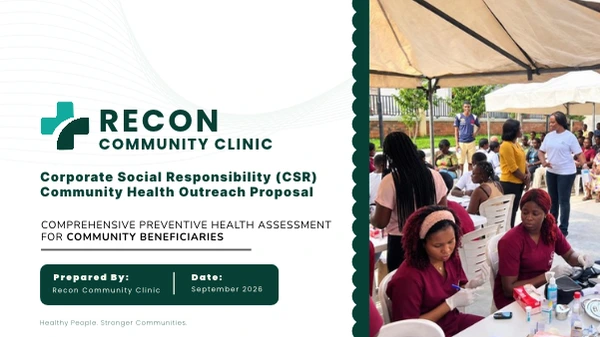
Recon Community Clinic Community health outreach proposal

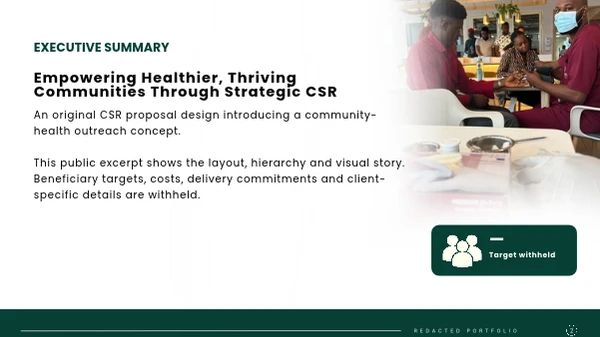
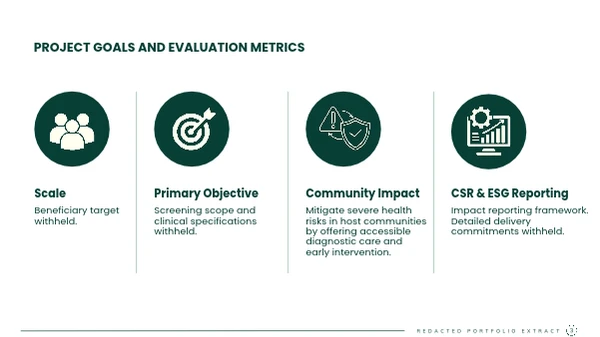
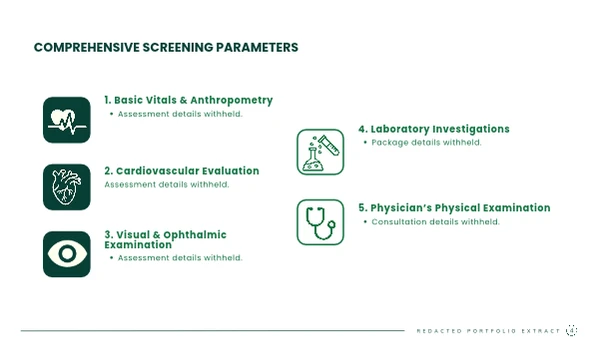
I designed a corporate social responsibility proposal that connects a community-health concept with the information a prospective sponsor would need to review. The structure gives the reader a route through the purpose, scope and intended impact.

I turned detailed material into an executive summary, grouped service panels and a clear closing page. The public excerpts preserve those layouts. Beneficiary targets, costs, clinical specifications, delivery commitments and client-specific information are withheld.

Design excerpts. Some text is adapted or withheld for confidentiality.

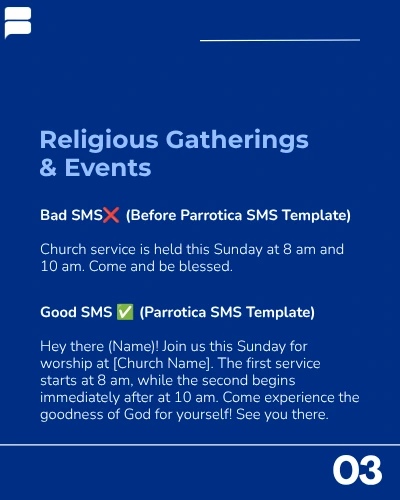
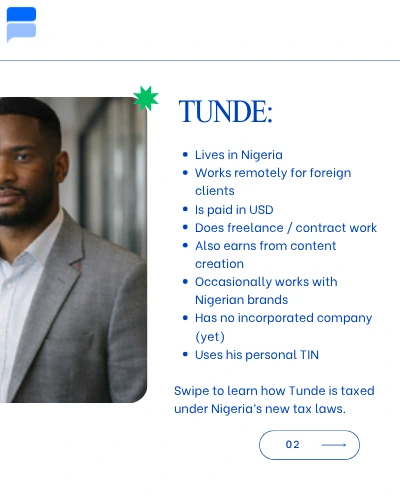
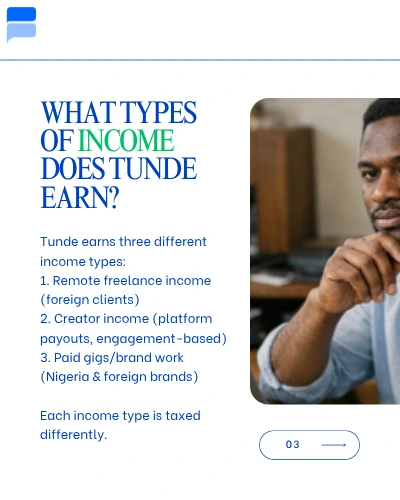
Educational & instructional carousels

8 complete Canva sequences

Swipe or use the arrows to read each sequence. Select a slide to enlarge it.

Brochures & publications

Two complete marketing publications · one AGM cover

Adela Technologies AGM brochure. Original Canva cover only.
06 / Data analysis & work management

Start with the records. End with a decision.

At Merchok Agrotrade, I used Excel and SQL to analyse trade activity, sales and operations. I also use Power BI and Tableau for visualisation. My approach is to check the data first, define the measure and show what the result means for the next decision. I use Trello and Odoo to track deliverables and keep owners and next steps clear.

01 / Spreadsheets

Excel

I structure worksheets around a business question and give each row a clear unit, such as one invoice, payment or order. I use lookup functions to join related records by a stable reference and flag missing codes or duplicate keys before I trust the totals.

I use VLOOKUP for exact matches in existing workbooks and INDEX/MATCH when the result column can sit on either side of the lookup key. The XLOOKUP example below shows how to flag a missing product code for review.

For reconciliations I compare source records by reference, date and amount, then keep an exception list with the evidence needed for review. PivotTables and conditional totals help me summarise sales and spending by product, supplier or month. A reviewer can trace the report back to the underlying row.

For a recurring workbook, I separate the imported data, lookup tables and report outputs. A review tab tracks missing references, duplicates and total differences so the person using the report can see what needs attention before refreshing it.

See an example lookup and conditional total
=XLOOKUP(A2, Products[Code], Products[Crop], "Check code")
=SUMIFS(Ledger[Amount], Ledger[Supplier], B2, Ledger[Status], "Open")

Here are two ways to run the same product lookup. The VLOOKUP formula uses adjacent Code and Crop columns, in that order.

=IFNA(VLOOKUP(A2, Products[[Code]:[Crop]], 2, FALSE), "Check code")
=IFNA(INDEX(Products[Crop], MATCH(A2, Products[Code], 0)), "Check code")
02 / Queries

SQL

I use SQL to answer trade and sales questions when the source data sits in more than one table. I identify the record keys, select the columns the question needs and join the records at the correct level of detail. I check row counts before and after a join so a duplicate match does not inflate the totals.

I use filters to define the reporting period and grouping to compare categories. A left join is useful when an unmatched record needs to remain visible. I check a sample back against the spreadsheet or export so the resulting count makes sense before it reaches management.

For the crop example, the report grain is one order and the product lookup must have one row per product code. I check for repeat keys before joining, then compare the source order count with the query result and investigate unmatched codes separately.

See the query behind the crop example
SELECT COALESCE(p.crop, 'Unmatched') AS crop,
       COUNT(*) AS orders
FROM weekly_orders AS o
LEFT JOIN products AS p ON p.code = o.product_code
GROUP BY COALESCE(p.crop, 'Unmatched')
ORDER BY orders DESC;
03 / Management dashboards

Power BI

I use Power BI to turn checked records into a view that leadership can scan quickly. In a service review, I would define the denominator for resolution rate, separate open cases from overdue ones and check that the dashboard totals match the source export.

Then I lay out the headline measures, trend and breakdown so a reader can move from “what changed?” to “which team or queue needs attention?” Filters make it possible to view a period or team without changing the definition of the metric.

For a review of service backlog, I would include the reporting date and age bands, let the reader filter to a team, and reconcile the filtered totals to the underlying list. That gives managers a route from the dashboard to the cases they can follow up on.

See an illustrative DAX measure
Total Cases = COUNTROWS(Cases)
Resolved Cases =
    CALCULATE([Total Cases], Cases[Status] = "Resolved")
Resolution Rate = DIVIDE([Resolved Cases], [Total Cases])

In the example, the export contains one row per case.

04 / Visual analysis

Tableau

I use Tableau to explore how a result changes across a period or category and turn that into a clear visual. A ranked bar chart can show which crops account for the most orders. A weekly trend can show whether a change looks persistent or came from a single busy period.

I keep the default view focused on the decision. I add clear labels and useful filters and place details in tooltips. If a chart shows workload, I show the volumes and the time window so a manager can decide where to look first.

For a trade report, I would pair ranked product volumes with a weekly trend and make the reporting window visible. I would give users enough context to distinguish a demand change from a missing or delayed source file.

05 / Workspace rollout

Trello

I introduced Trello at Adela Technologies, created the workspace and managed it. I moved action tracking from chat threads to shared boards so colleagues across 6+ team roles could see who owned each deliverable and when it was due.

When a meeting generates several actions, I give each deliverable its own card with an owner, a deadline and enough context for someone to pick it up. If work depends on another person’s input or approval, I record what is outstanding and who has the next action. That gives teams a clear handover as work moves into review.

Before leadership reviews, I check for overdue cards, missing owners and pending approvals. I follow up on the tasks that need attention and bring the CEO the decisions that will move work forward. The rollout improved cross-departmental execution efficiency by 40%.

See an illustrative campaign handover in Trello

A customer education campaign needs copy, artwork and approval by Friday. I create a card for the launch pack, assign an owner, link the draft and add a checklist for those three steps.

When the artwork is ready, I mark that step complete and record who still needs to approve the copy. I close the card when the approved pack has been handed over.

06 / Project & task management

Odoo

At Infytel Communications, I manage the Odoo setup the team was already using when I joined. I work within the existing project and task structure to track commitments from leadership meetings and partner discussions.

I keep the task owner, deadline and status current and record what has changed since the last review. When work is waiting for a technical input, a handover or approval, I note what is outstanding and follow up with the person who can resolve it. If an agreed deadline moves, the task record shows the revised date and next action.

Before a review with the MD, I check open work by stage, owner and due date. I handle routine follow-ups and bring forward delays that need a decision, with the impact on the next commitment. I confirm what was delivered before closing the task so the next review starts with an accurate list.

See an illustrative partner follow-up in Odoo

After a partner call, the team agrees to prepare a scope note before the next meeting. In Odoo, I record the internal owner, the review deadline and the technical input still due.

If that input is delayed, I update the task and tell the MD which commitment is at risk and what decision is needed. I close the task once the reviewed note is ready to share.


Applied analytics

Three questions the data can answer

Demonstrations use sample records and fictional counts. Each example shows how I check the input and decide what to surface.
01

Excel · trade operations

Which order records are ready for reporting?

Join the order list to the product master and set aside rows that have no valid match. Check for duplicate codes before grouping the clean records by crop or reporting period.
Illustrative match
1,245 of 1,280 orders match to a product code. The remaining 35 stay in an exception list.
What management can use
Clean totals for review and a separate list of records the team needs to correct.
02

SQL & Tableau · sales analysis

Which crops drove the week’s order volume?

Query the week’s orders against product codes and rank the counts by crop. The sample has one crop per order. Use a left join to keep unmatched rows visible.

  • Maize48
  • Soybeans32
  • Sorghum20
What management can use
A ranked view of demand that can be checked against stock and supplier lead times.
03

Power BI · service review

Where should the service team intervene?

Use a queue export with one row per case. Keep unresolved cases distinct from cases already closed and define the time window before comparing teams.

Resolved
96
Open
24
Open and overdue
10
What management can use
An 80% resolution rate for the 120-case sample, plus a short list of overdue cases that need an owner or escalation.
07 / Let's connect

Have a role or project
in mind?

Let's talk about your priorities and where my experience can help.